
Screenshots
About
subtitle.im is an all-in-one YouTube extension for getting, searching, copying and downloading transcripts, automatically turning captions on or off, and handling duplicate subtitles.
Transcript tools are part of the upcoming 1.6 release, currently a Chrome Web Store draft as of October 31, 2026. They use a video’s available captions: read and search the transcript, jump to matching moments, copy the full text or selected passages, and download TXT for free. Pro adds SRT, VTT, Markdown and PDF through the browser’s print/save-as-PDF flow. Videos without available captions are not transcribed.
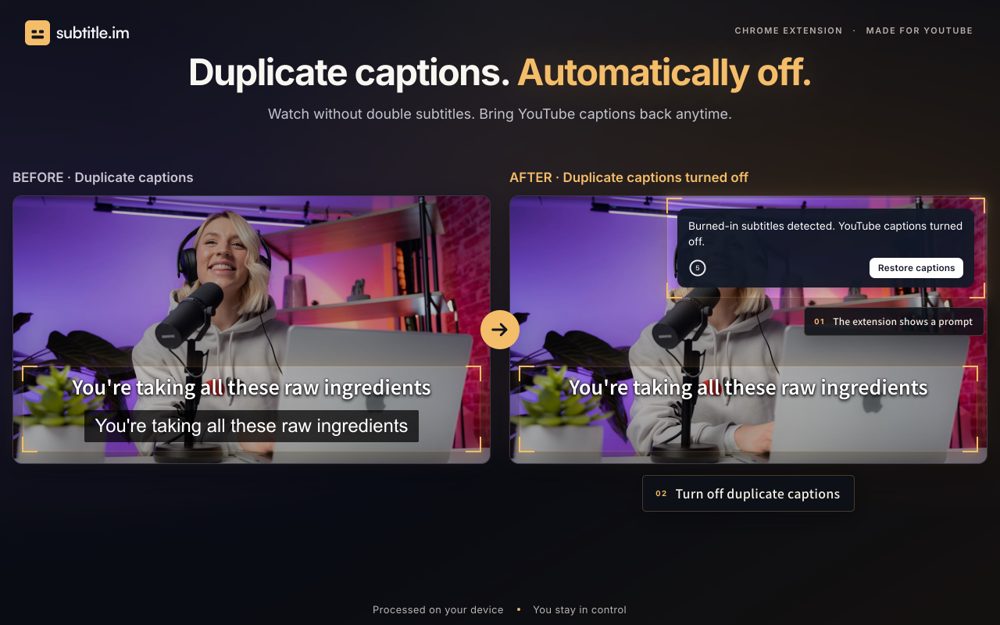
Let captions follow YouTube or turn them on or off automatically. Handle overlapping YouTube captions according to your settings and restore them when needed. Subtitle detection and OCR run locally without uploading video frames. The extension does not generate or translate subtitles, or remove burned-in text.
Try duplicate-caption handling on 10 successfully processed videos without signup; this cumulative allowance does not reset monthly. Optional Pro provides continued handling, video and channel rules, and memory of confirmed decisions to turn captions off. Manual caption changes apply to the current viewing. See subtitle.im for current plans and availability.
Maker tools
Prepare the page, the images and the launch around a product like this one.
See where this pricing label ranks: Best paid tools for indie makers
Learn from other listings: product description examples, product tagline examples
Pricing


Free trial: 10 successfully handled videos without signup. Optional Pro: US$17.99 per year or US$29.99 lifetime.
Platforms


- Browser extension
What is new


Upcoming 1.6: read and search available YouTube captions, jump to timestamps, copy passages and download transcripts. TXT is free; Pro adds SRT, VTT, Markdown and browser print/save as PDF. Not yet released as of October 31, 2026.
Based on 1 rating

 Idea
Idea
 Execution
 Design
 Value
Value
Comments (1)
Sign in to leave a comment.
Detecting burned in subtitles on the device and then closing YouTube's own captions so you do not read the same line twice is a small but genuinely annoying problem solved well. Separate choices for when the caption language differs, plus channel and video rules, show the author has watched a lot of subtitled video. It is desktop Chrome only for now, and the rules per channel need Pro, which is worth knowing before installing.