
Screenshots
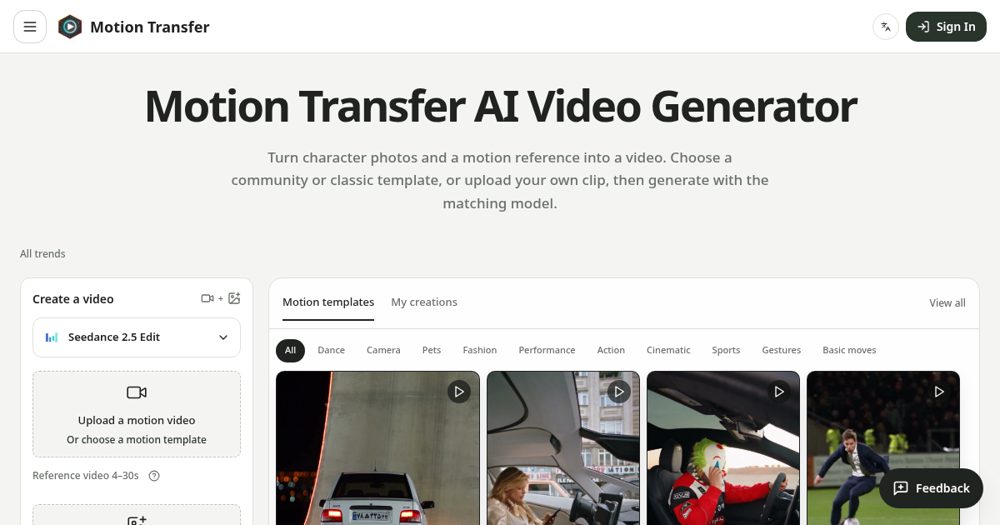
About
Motion Transfer turns trending AI video effects into ready-made templates. Pick a viral trend, upload a photo of yourself, a pet, or an original character, and get the video without writing a prompt or hunting for a reference clip. Useful for creators who want to jump on trends quickly and keep one character consistent across posts.
Maker tools
Prepare the page, the images and the launch around a product like this one.
Ranked with other live products in this category: Best AI tools for indie makers
See where this pricing label ranks: Best freemium AI tools for indie makers
See where this pricing label ranks: Best freemium tools for indie makers
Compare Motion Transfer and Pixelrope
Compare Motion Transfer and Tesla Wrap Generator
Compare Motion Transfer and NeverApply
Compare Motion Transfer and Video Text Remover AI
Compare Motion Transfer and PawMotif
Compare HSKWin and Motion Transfer
Compare Footalytics and Motion Transfer
Compare MangaTranslate and Motion Transfer
Learn from other listings: freemium pricing examples, product description examples, product tagline examples
Looking for something similar? See alternatives to Motion Transfer
Who it is for


Short-video creators who want ready-made AI trend templates
Pricing


Freemium. Free to start; paid plans for more generations.
Platforms


- Web
Based on 1 rating

 Idea
Idea
 Execution
 Design
 Value
Value
Comments (1)
Sign in to leave a comment.
Putting the actual generator on the homepage, with a template gallery filtered by Dance, Pets, Fashion and Cinematic, means a visitor can start from a ready motion instead of a blank upload box. The FAQ promises a credit estimate before each job and the free tier gives 18 signup credits with watermarked downloads, which is an honest way to let people test first. One inconsistency I noticed is that the FAQ tells newcomers to start with the default Kling model, while the workspace in my screenshot opens on Seedance 2.0 Mini, so I would align the copy with the real default. The page is also very long, so a short comparison of which model suits which kind of clip would help more than the extra guide links.