
Screenshots
About
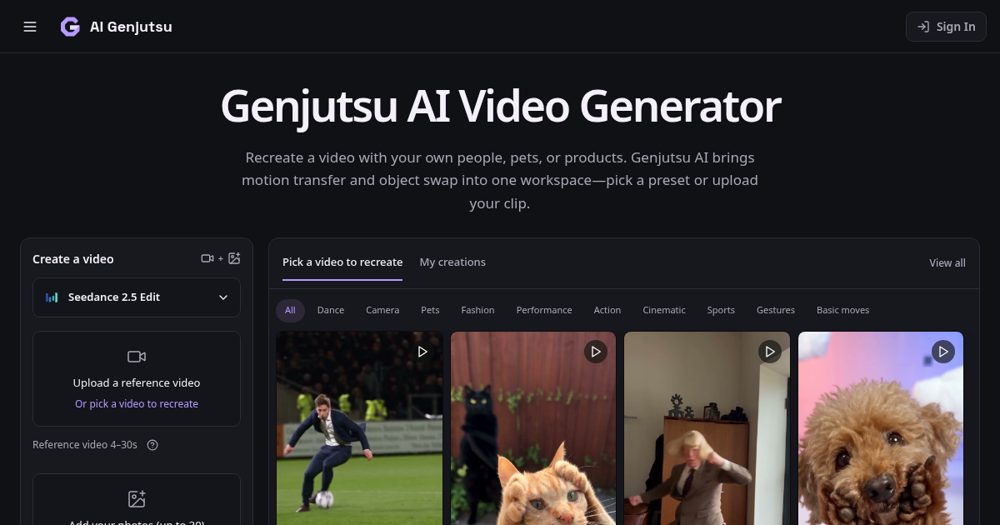
Genjutsu AI recasts a clip using your own photos. A reference video or trend preset supplies the motion, and your pictures supply the people, pets, or products that appear. Upload a short clip or start from a preset, add photos, and generate without rewriting the action as a prompt. Handy for creators remaking viral scenes with a consistent cast.
Maker tools
Prepare the page, the images and the launch around a product like this one.
Ranked with other live products in this category: Best AI tools for indie makers
See where this pricing label ranks: Best freemium AI tools for indie makers
See where this pricing label ranks: Best freemium tools for indie makers
Compare Genjutsu AI and Pixelrope
Compare Genjutsu AI and Tesla Wrap Generator
Compare Genjutsu AI and NeverApply
Compare Genjutsu AI and Video Text Remover AI
Compare Genjutsu AI and PawMotif
Compare Genjutsu AI and HSKWin
Compare Footalytics and Genjutsu AI
Compare Genjutsu AI and MangaTranslate
Learn from other listings: freemium pricing examples, product description examples, product tagline examples
Looking for something similar? See alternatives to Genjutsu AI
Platforms


- Web
Pricing
freemium
Based on 1 rating

 Idea
Idea
 Execution
 Design
 Value
Value
Comments (1)
Sign in to leave a comment.
Combining motion transfer and object swap in one workspace is the useful part here, since the same source clip can be recast with new people or with a different product, vehicle or outfit. The upload panel accepts a 4 to 30 second reference and up to 30 photos, and the FAQ is candid that faces, labels and backgrounds can drift, which sets realistic expectations. The preset grid has category tabs such as Dance, Pets, Sports and Gestures, and it reads clearly on the dark layout. In my screenshot the large analytics banner covers a third of the first screen, so I would make it smaller or move it to the bottom edge so the previews stay visible.